
Chromatography
HPLC, UPLC, GC and the chromatography data systems behind them.
A shared local admin account, raw files on the C: drive, USB enabled and no backup is a common picture and an expensive one. We bring instrument workstations under documented control while respecting what the instrument vendor supports.
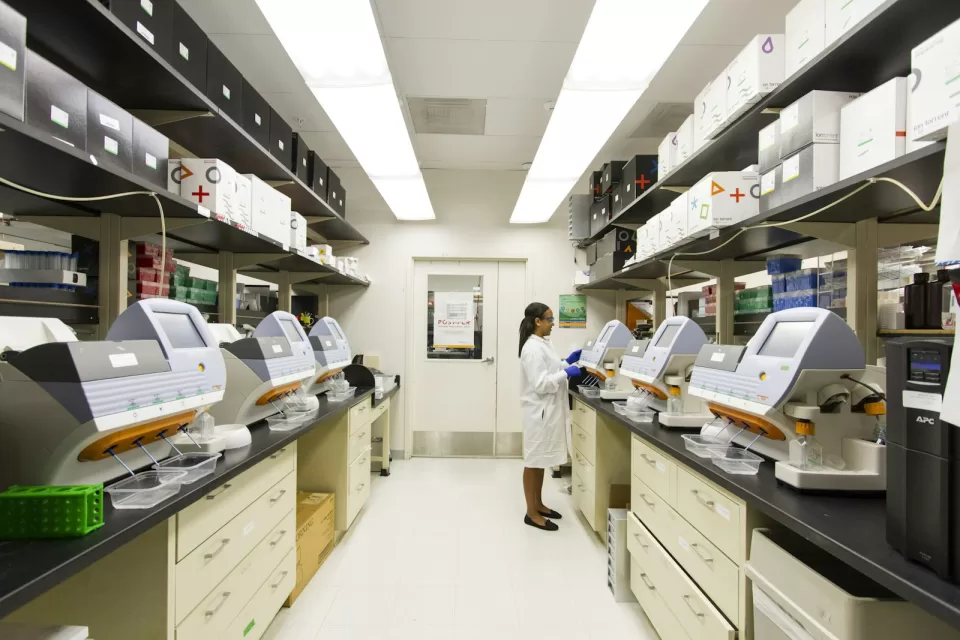
The configuration to avoid is familiar: one local administrator account shared by every analyst, raw files stored only on the local disk, USB ports open, unrestricted internet access, no backup and no audit-trail review. Any one of those is survivable. Together they mean the laboratory cannot prove who did what.
The preferred architecture routes the instrument through a controlled workstation on a restricted laboratory VLAN to a validated CDS, LIMS or scientific server, with central backup behind it and an immutable or off-site copy behind that.
HPLC, UPLC, GC and the chromatography data systems behind them.
GC-MS and LC-MS/MS systems and their data stores.
Spectrophotometers and FTIR systems.
Analytical balances and dissolution systems.
Stability chambers and monitored storage.
Plate readers, PCR and qPCR instruments and ELISA platforms.
System ID, instrument ID, workstation and network address.
Operating system, application and version, and the database behind it.
The vendor responsible, and what they support.
GxP classification, and the system, business and process owners.
Who administers it, and how privileged access is separated from laboratory operation.
Where electronic records live, the backup and restore method, and retention requirements.
Audit-trail capability and whether it is enabled.
Interfaces to other systems, and what fails if this one does.
Current validation status.
A documented risk assessment before anything is touched. Do not upgrade an operating system if it breaks validated vendor software.
Place it on the instrument VLAN and restrict outbound access to the services it genuinely needs.
Disable unnecessary services, restrict USB usage and remove software that is not required.
Ensure raw data is backed up off the workstation, and monitor the system.
Establish a replacement or remediation plan with a date, rather than leaving it indefinitely.
Not always, but it should be a documented exception rather than the default. Some vendor applications genuinely require elevated rights for specific operations. Where that is the case we scope the exception as narrowly as the software allows, record why it exists, and compensate elsewhere — tighter network restriction, removable-media control and monitoring.
No, and you should be wary of anyone who says yes. GxP and instrument-connected computers should not blindly receive every update. Changes affecting validated systems need an impact and risk assessment and, where applicable, quality-system change control. We run a separate, slower, assessed patch track for these machines.
Then we do not make it. The manufacturer or authorised application vendor remains responsible for confirming supported configurations. Where a control we would normally apply is not supportable, we document that and apply compensating controls instead.
Pracoda provides technical infrastructure implementation and documentation support. Regulatory interpretation, GxP applicability decisions, validation approval, SOP approval, data review and final quality release remain with the client's authorized QA, system owner or qualified regulatory and validation specialists. The instrument manufacturer or authorised application vendor remains responsible for confirming supported workstation specifications, operating systems, interfaces and application configurations.
Tell us how many instrument workstations you have and roughly how old they are. We will tell you where we would start.
Share the problem, the platform and the deadline. We will come back with an approach, a team and an estimate.